Celebrating birthdays of my guardian and heir 🎉. All tools are WATERMARK FREE and with many PRO FEATURES available for the whole month of August!

MockupTown
Screenshots Use cases Features Help All Tools

Free Apple Calendar Event Mockup Generator

Create event mockups that look like they belong on an iPhone, iPad or Mac. Apple Calendar styling with SF typography, clean lines and the iOS event sheet. Export PNGs with no signup.

Free Apple Calendar Event Mockup Generator
Screenshots

See it in action

Event sheet

Event sheet

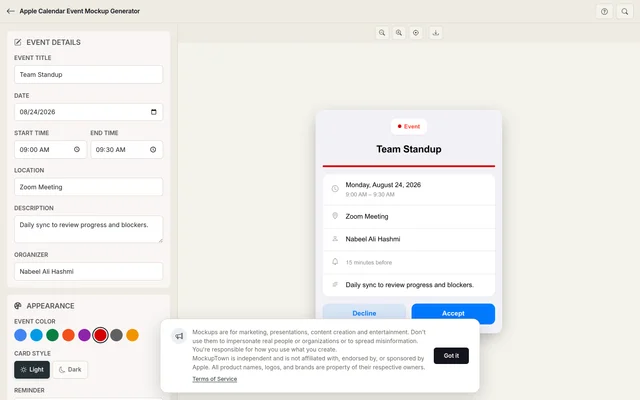
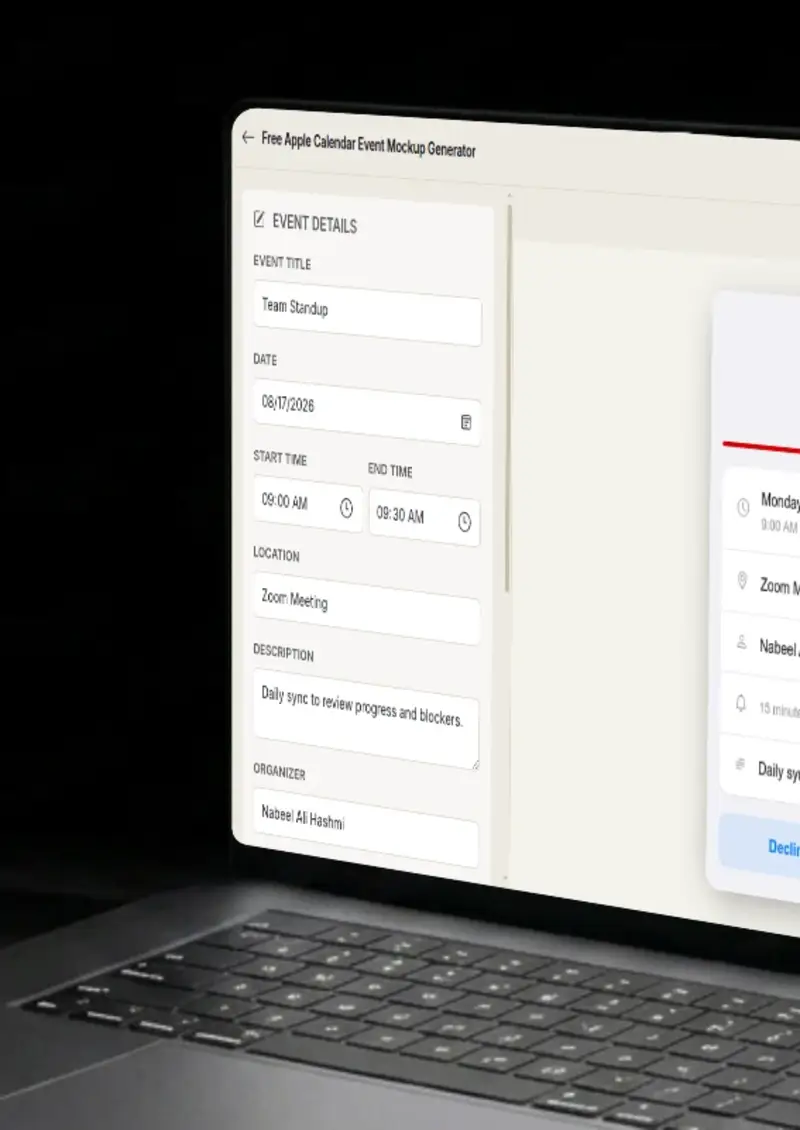
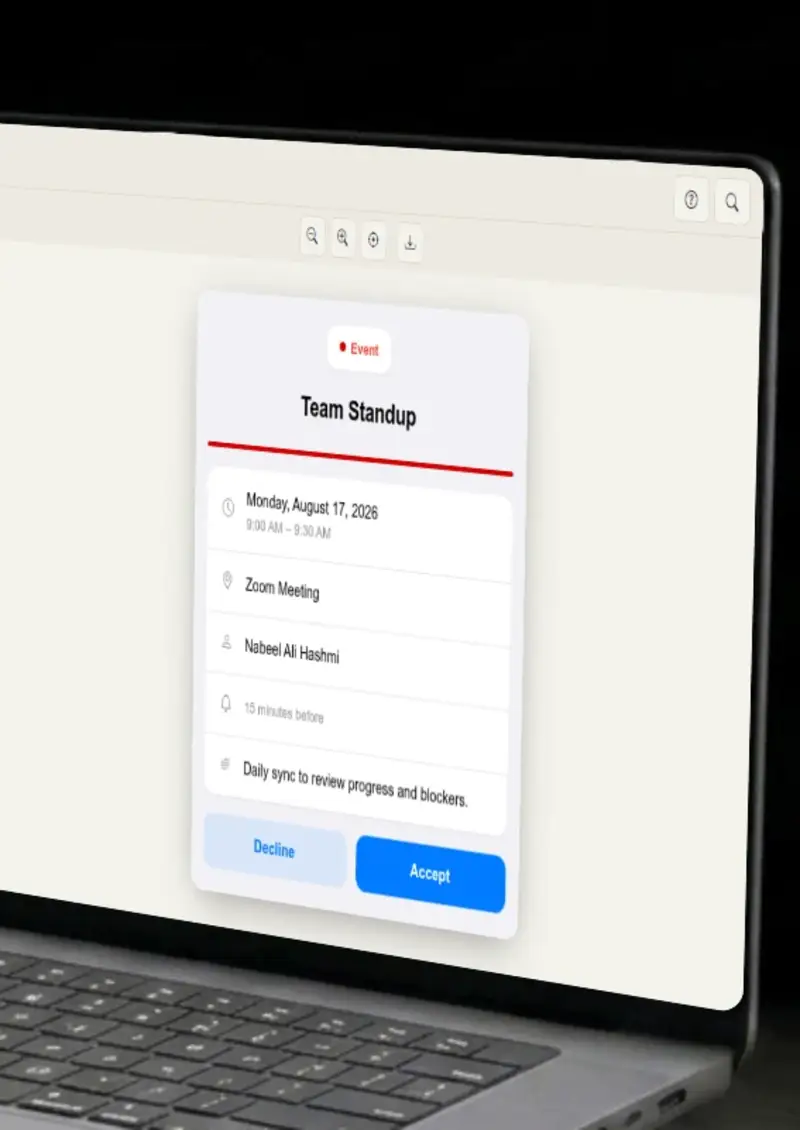
The event editor mirrors the iOS event sheet, title, date, time, location, notes and alert fields laid out in Apple's vertical card style.

Calendar colors

Calendar colors

Choose from Apple Calendar's calendar color options, the same set that appears when you assign an event to a specific iCloud calendar.

Light and dark appearance

Light and dark appearance

Toggle between light and dark mode to match iOS or macOS appearance settings. Backgrounds and text adapt to each.

PNG export

PNG export

Download the event card as a high-resolution PNG file, no compression artifacts.

Use cases

Who uses Apple Calendar Event Mockup?

If your app integrates with Apple Calendar or shows scheduled events, your App Store listing needs to show it. A mockup styled like the real iOS event sheet gives potential users an accurate preview of what the calendar interaction looks like on their device.

  • Illustrate CalendarKit and EventKit integrations
  • Show scheduling features in App Store previews
  • Match the iOS design language

Bloggers and course creators writing about the Apple ecosystem, iCloud sync, Siri reminders, Handoff between devices, need calendar imagery that looks native. A mockup styled like the real iOS event sheet reads as familiar to anyone familiar with the platform.

  • Visualize iCloud calendar sync workflows
  • Illustrate Siri and Shortcuts scheduling
  • Show Cross-device Handoff scenarios

Apple's Focus modes and calendar-based automations are a common topic in productivity content. Writing about time blocking with a mockup of an actual iOS calendar event makes the guide feel practical, the reader sees what the end result looks like on their phone.

  • Illustrate Focus mode calendar triggers
  • Show time blocking on iOS and iPadOS
  • Visualize calendar-based automations

Apple Calendar's design language is clean and restrained. For presentations that lean into that aesthetic, design reviews, Apple-focused talks, minimalist brand decks, an Apple Calendar event mockup carries the visual tone without adding clutter.

  • Match Apple's design-forward aesthetic
  • Keep presentation visuals clean and minimal
  • Use a recognizable but understated layout

SaaS products targeting Mac and iPhone users benefit from showing scheduling in the platform their customers already use. An Apple Calendar event mockup on a landing page signals that your product fits into the Apple workflow without a word of explanation.

  • Signal Apple ecosystem compatibility
  • Use recognizable iOS visual patterns
  • Appeal to design-conscious audiences
Features

Everything you need

Apple Calendar event sheet
Layout

Apple Calendar event sheet

The mockup reproduces the iOS and macOS event card, the rounded sheet layout, the segmented controls for date and time, and the clean vertical flow that Apple uses across iPhone, iPad and Mac.

  • iOS and macOS event sheet layout
  • SF font family and system spacing
  • Matches Apple's design guidelines
Apple Calendar color set
Customization

Apple Calendar color set

Pick from the calendar colors Apple Calendar uses when you assign an event to a specific calendar, red, orange, yellow, green, blue and purple. The mockup applies the color the same way the real app does.

  • Official Apple Calendar calendar colors
  • Color applied as calendar accent
  • Clean, minimal color presentation
iOS light and dark appearance
Themes

iOS light and dark appearance

Apple's light and dark modes use specific background values, text opacities and separator lines. The generator replicates those so the mockup matches the real appearance on a user's device.

  • iOS system background colors
  • Correct text opacity and separators
  • Matches real device appearance
High-resolution PNG
Export

High-resolution PNG

Export the event sheet as a crisp PNG at a resolution suitable for App Store screenshots, presentation slides and embedded web content.

  • Resolution suitable for App Store assets
  • Clean edges
  • Works in slides, docs and web pages
Fully client-side
Privacy

Fully client-side

Everything happens in your browser. The canvas rendering runs locally, no data is uploaded, and no account is required.

  • Browser-only rendering
  • No server communication
  • No account, no tracking
Help

How it works

1

Enter event details

Type the event title, set the date, choose start and end times, and add a location and notes in the event sheet editor.

2

Set the calendar color

Choose a color from Apple Calendar's palette. The mockup applies it as a calendar accent, the same way the real app does.

3

Toggle light or dark mode

Switch between light and dark appearance to match iOS or macOS system settings on the target device.

4

Export the PNG

Click export to download the event sheet as a high-resolution PNG file.

The layout follows Apple's typographic patterns, system font weights, sizes and spacing that match the real iOS and macOS event sheet.

The exported PNG is high-resolution and sized for use in App Store screenshots, marketing pages and presentation materials.

No. The tool runs entirely in your browser. No Apple ID, no iCloud connection and no calendar sync.

You can type Siri-suggested or Shortcuts-triggered event text in the title or description fields. The mockup does not render Siri UI, but the event details are fully customizable.

The color picker offers Apple Calendar's calendar colors, the same set that appears when you assign events to iCloud calendars.

Yes. There is no cost, no signup on the exported images.

Disclaimer

Intended usage

This tool is made for marketing, presentations, content creation and entertainment. Don't use it to impersonate real people or organizations, or to spread misinformation. You're responsible for how you use what you create - see our Terms of Service.

MockupTown is independent and is not affiliated with, endorsed by, or sponsored by Apple. All product names, logos, and brands are property of their respective owners.

Free forever, or go Pro Visa

Pro Visa unlocks higher resolution exports and no promotional elements.

Ready to create your Apple Calendar event mockup?

No signup, no credit card - start designing in seconds.

Open Apple Calendar Event Mockup
Apple Calendar Event Mockup