

Celebrating birthdays of my guardian and heir 🎉. All tools are WATERMARK FREE and NO ADS for the whole month of August!

MockupTown
Screenshots Use cases Features Help

Free Invoice Maker - Create Invoices in Seconds

Create professional invoices online in seconds with our free invoice generator. No signup, no watermark, instant PDF download. Free forever.

Free Invoice Maker - Create and Download Invoices
Screenshots

See it in action

Multiple templates

Multiple templates

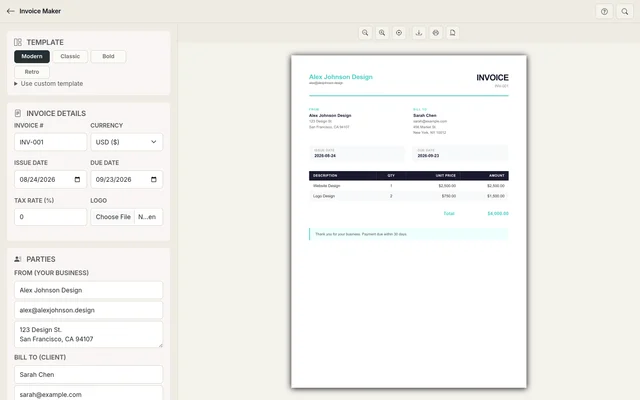
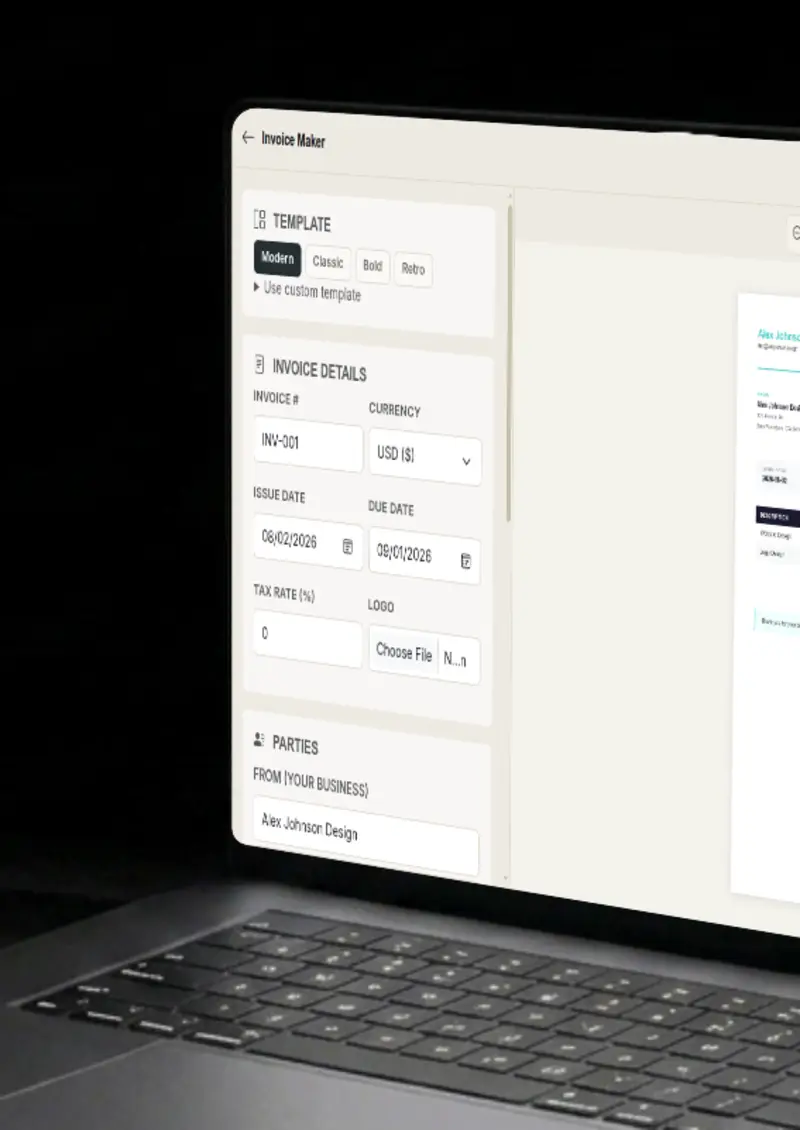
Choose from Modern, Classic, Bold and Retro templates, or paste a custom template of your own.

Live preview

Live preview

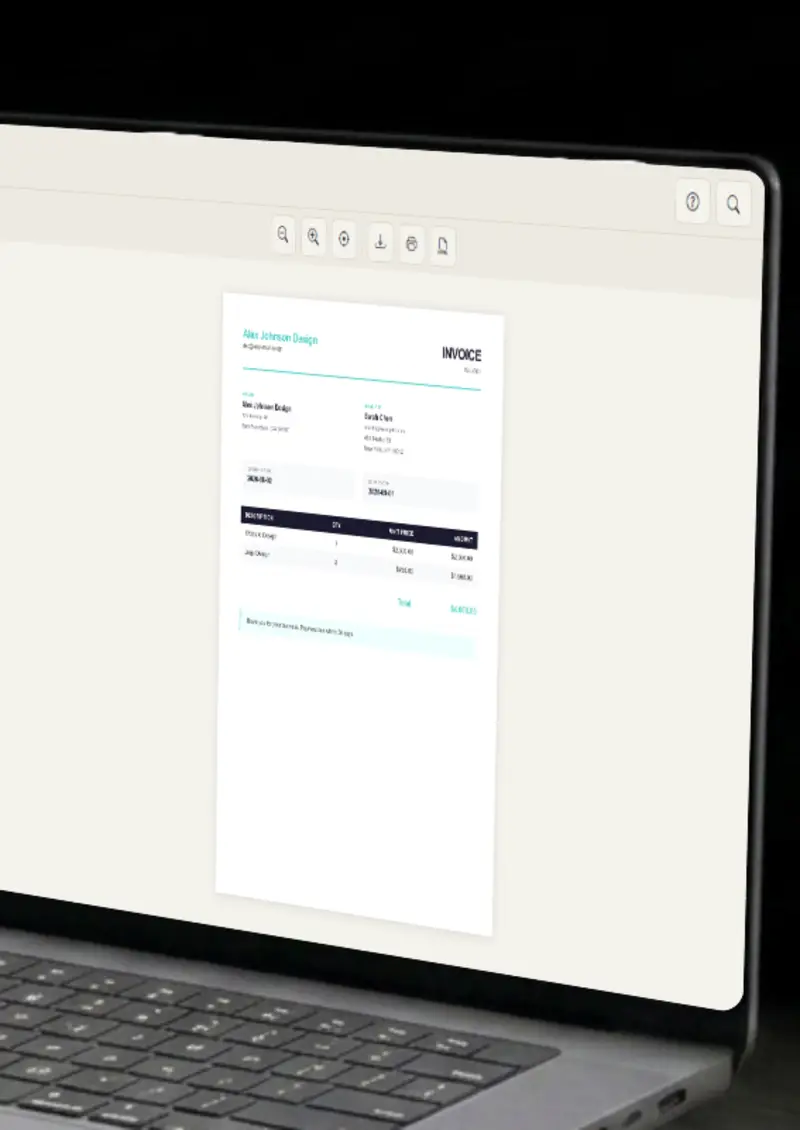
See your invoice update in real-time as you type.

Line items

Line items

Add multiple line items with quantities and prices, with totals calculated for you.

Tax calculation

Tax calculation

Set a tax rate and the subtotal, tax and grand total update automatically.

Use cases

Who uses Invoice Maker?

Freelancers bill clients all the time, and a clean invoice makes payment easier to chase. Fill in your details, add the line items for the work, set a tax rate if you need one, and export a PDF you can attach to an email. It takes minutes instead of fiddling with a spreadsheet, and every client gets the same polished bill.

  • Client-ready invoices
  • PDF export in seconds
  • No accounting background needed

Small teams often outgrow paper and spreadsheets before they outgrow invoices. Generate professional invoices with your business name, logo and details, keep the line items tidy, and save the file for your records. It keeps the books presentable without a paid tool.

  • Business-branded invoices
  • Logo upload support
  • Clean record keeping

Contractors juggle multiple clients, and each one expects a proper invoice. Build one with your details, the client's details, and an itemized breakdown of the work, then download it as a PDF. Every client gets a consistent, professional bill, and you keep a clean record of what was sent.

  • Itemized line items
  • Consistent formatting
  • PDF for every client

Consulting engagements span weeks and multiple deliverables, so an itemized invoice does the heavy lifting. List each phase as a line item, add the tax rate, and let the totals calculate themselves. The client sees exactly what they are paying for, and there is no room for a disputed number.

  • Phase-by-phase line items
  • Automatic totals
  • Clear client breakdown

Event planners bill for venues, catering, decor and deposits, and each line deserves its own row. Add the items, set the currency and dates, and export an invoice that itemizes every charge. It keeps event billing honest and easy to follow.

  • Multi-item event billing
  • Multiple currencies
  • Issue and due dates
Features

Everything you need

Multiple templates
Feature

Multiple templates

Choose from Modern, Classic, Bold and Retro templates, each with its own typography and layout. Switch templates and your invoice content flows into the new design automatically, so you can compare looks without re-entering anything. The preview updates instantly, and the style you pick becomes the invoice your client sees.

  • Modern, Classic, Bold, Retro
  • Instant template switching
  • Content preserved
Auto-calculated totals
Feature

Auto-calculated totals

Set a tax rate and the subtotal, tax and grand total update automatically as you edit line items. No more summing columns by hand or chasing rounding errors, the numbers are always right and always consistent. The math is done for you, down to the last cent.

  • Subtotal calculation
  • Tax calculation
  • Grand total
Line items
Feature

Line items

Add as many line items as you need, each with a description, quantity and price per unit. Add and remove rows freely, and the invoice reflows to fit your work without any manual layout work. Each line updates the totals on the spot, so the bottom line is always accurate.

  • Unlimited line items
  • Quantity support
  • Price per unit
Business & client details
Feature

Business & client details

Fill in the invoice number, issue and due dates, currency, and the from and bill-to blocks with names, emails and addresses. A logo upload puts your mark on the invoice, and notes let you add payment terms or a thank you. Every field a client expects is right where it should be.

  • Invoice number and dates
  • From and bill-to blocks
  • Logo upload and notes
Everything stays on your device
Privacy

Everything stays on your device

Your invoice is built and exported entirely in your browser. Your business and client details never leave your device, and nothing is stored on any server. You can draft invoices for sensitive work without the details going anywhere, even before a deal is announced.

  • Built in your browser
  • No data stored on servers
  • Private by design
Help

How it works

1

Choose template

Select from Modern, Classic, Bold or Retro templates, or paste a custom template.

2

Fill details

Enter invoice details, from/to addresses and line items.

3

Preview

See your invoice update in real-time with auto-calculated totals.

4

Export your invoice

Print to PDF or download as PNG.

Yes, completely free. No watermarks, and all processing happens locally in your browser, so nothing is uploaded anywhere.

Absolutely. You own the invoices you create. Use them for your business, freelancing, or any commercial purpose.

No. You can start creating invoices immediately, no signup, no email, no credit card required.

Yes. Click the print button to open the browser print dialog where you can save as PDF.

We support USD, EUR, GBP, JPY and many more currencies.

Yes. Upload your logo and it appears on the invoice, along with your business details in the from block.

Free forever, or go Pro Visa

Pro Visa unlocks unlimited messages, higher resolution, no promotional elements and access to Pro-only tools.

Ready to create your professional invoice?

No signup, no credit card - start creating in seconds.

Open Invoice Maker
Invoice Maker