Celebrating birthdays of my guardian and heir 🎉. All tools are WATERMARK FREE and with many PRO FEATURES available for the whole month of August!

MockupTown
Screenshots Use cases Features Help All Tools

Free Review & Testimonial Card Generator

Build review mockups across Google, Yelp, App Store and Amazon from one editor. Pick a platform style, fill in the details, export a PNG. No account.

Free Review & Testimonial Card Generator
Screenshots

See it in action

Platform picker

Platform picker

Switch between Google, Yelp, App Store and Amazon layouts without leaving the editor. Each option re-renders the preview with the correct fonts, colors and spacing.

Review fields

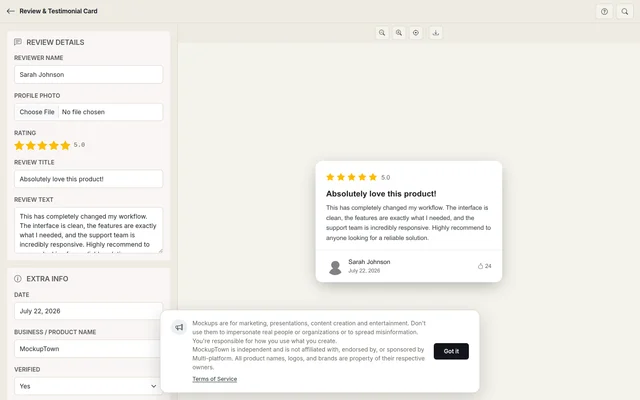
Review fields

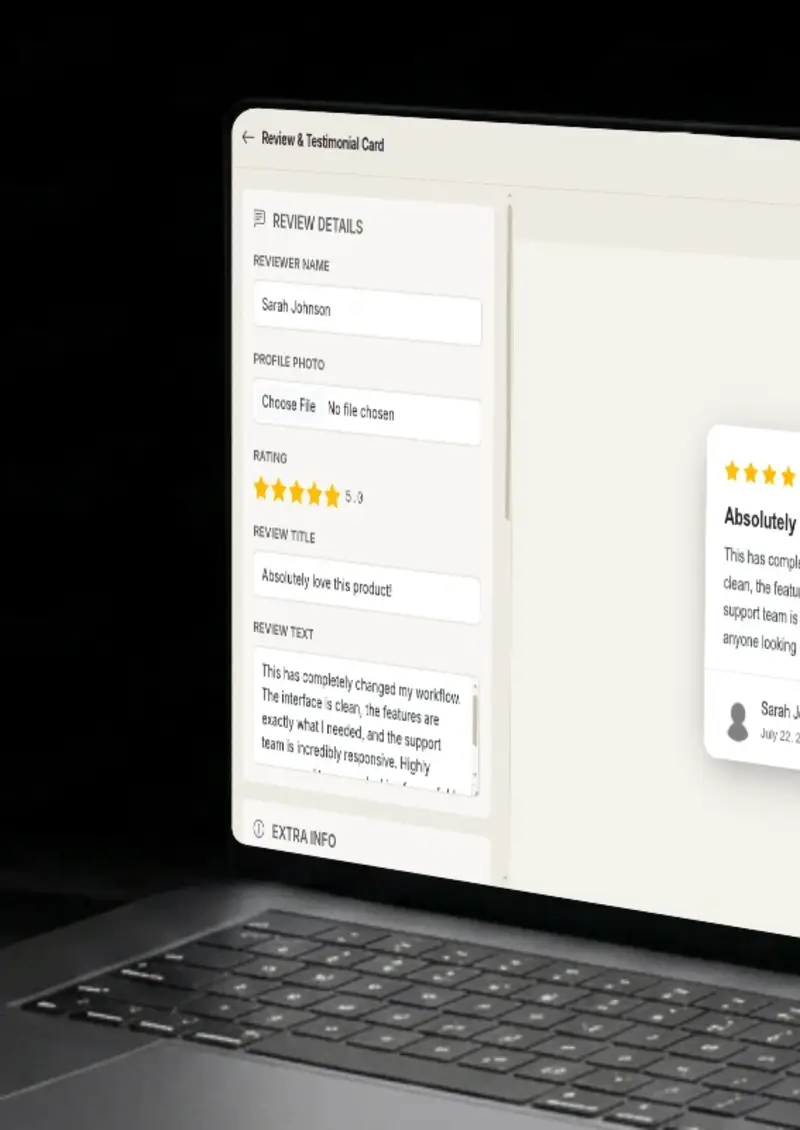
Fill in the reviewer name, star rating, review body and date. Optional fields like verified badge, helpful count and business details appear depending on the platform you chose.

Light and dark modes

Light and dark modes

Toggle between a light and dark background so the mockup matches the theme your audience actually sees on that platform.

One-click export

One-click export

Download the finished card as a high-resolution PNG. The file is ready for slide decks, blog posts, print layouts or screen recordings.

Use cases

Who uses Review & Testimonial Card?

Agencies managing reputation across several review sites need visuals for each platform in the same report. This generator lets you produce a Google card, a Yelp card and an Amazon card back to back, all from the same interface, so the report stays visually consistent.

  • Match each client's active platforms
  • Keep report styling uniform
  • Produce cards in quick succession

Bloggers and course creators writing about online reputation management need side-by-side visuals across platforms. This tool lets you generate a Google card, a Yelp card and an Amazon card in sequence, showing readers the visual differences between Google's yellow stars, Yelp's red stars and Amazon's amber stars.

  • Side-by-side platform visuals
  • Highlight design differences across platforms
  • Speed up article production

Onboarding a new hire to your review management workflow? Build a set of mockups that walk them through what each platform looks like for customers. It removes the need to screenshot real accounts and keeps sensitive data out of training decks.

  • Create safe training examples
  • Cover multiple platforms in one session
  • Avoid exposing real customer data

When you are auditing how competitors appear across review platforms, having clean mockups of different star ratings and review lengths helps you map out the competitive landscape. Generate variations quickly and drop them into your research slides.

  • Mock different star rating scenarios
  • Compare review layouts across competitors
  • Fill research decks with polished visuals

Use mockup review cards as visual assets in landing page layouts, email headers, or case study illustrations. Generate a batch across platforms, pick the ones that match your brand aesthetic, and drop them into your design.

  • Produce review cards for marketing channels
  • Match the platform your customers use most
  • Use across web, email and print
Features

Everything you need

Four platform styles in one tool
Multi-platform

Four platform styles in one tool

Pick from Google Reviews, Yelp, App Store or Amazon. The preview re-renders instantly with the correct layout, typography and color scheme for whichever platform you select. No need to open four separate tools.

  • Google, Yelp, App Store and Amazon
  • Instant layout switch on selection
  • Platform-accurate fonts and spacing
Platform-aware review fields
Fields

Platform-aware review fields

Each platform shows the fields that actually matter on it. Google shows a business name and location pin, Amazon shows a verified purchase toggle, App Store shows a version number. You only fill in what the platform displays.

  • Fields change per platform
  • No unnecessary inputs cluttering the form
  • Optional badges and vote counts
Light and dark mode per platform
Themes

Light and dark mode per platform

Every platform supports light and dark rendering. The colors are matched to each platform's actual theme, so a dark-mode Google card looks different from a dark-mode Amazon card.

  • Platform-specific color palettes
  • Light and dark toggle
  • Matches what users actually see
High-resolution PNG output
Export

High-resolution PNG output

Download your finished mockup as a crisp PNG file. The resolution is high enough for print materials, slide decks and full-width website sections without any upscaling.

  • Pixel-sharp PNG download
  • Print and screen-ready resolution
  • No compression artifacts
Runs entirely in your browser
Privacy

Runs entirely in your browser

The mockup is drawn on an HTML canvas and exported locally. No data leaves your machine, nothing is stored on a server, and there is no account to log into.

  • Zero server uploads
  • No tracking or analytics on your content
  • Safe for confidential review data
Help

How it works

1

Choose a platform style

Select Google Reviews, Yelp, App Store or Amazon from the platform picker. The preview updates with the matching layout.

2

Write the review

Enter the reviewer name, star rating and review text. Platform-specific fields like verified purchase or developer response appear automatically.

3

Add context

Fill in the date, business or product name, and any badges or vote counts that apply to the platform you picked.

4

Export

Pick light or dark mode, then click the download button to save the mockup as a high-resolution PNG.

Google Reviews, Yelp, App Store and Amazon. Each one uses a distinct layout, color scheme and set of fields that match the real platform.

Yes. Switching platforms re-renders the preview using the same reviewer name, rating and text you already entered. Platform-specific fields like verified purchase or Elite badge reset if they do not apply to the new platform.

No. The PNG downloads clean with no logo, no border and no branding overlay.

Yes. You own the images you create. Use them in client reports, marketing materials, courses or any commercial project.

No. Open the tool, fill in the fields and download. There is no signup step and no email collection.

No. The mockup is built entirely on your device. Nothing is sent to Google, Yelp, Apple or Amazon.

Disclaimer

Intended usage

This tool is made for marketing, presentations, content creation and entertainment. Don't use it to impersonate real people or organizations, or to spread misinformation. You're responsible for how you use what you create - see our Terms of Service.

MockupTown is independent and is not affiliated with, endorsed by, or sponsored by Multi-platform. All product names, logos, and brands are property of their respective owners.

Free forever, or go Pro Visa

Pro Visa unlocks higher resolution exports and no promotional elements.

Build your first review mockup now

No signup, no credit card - pick a platform and start designing.

Open Review & Testimonial Card
Review & Testimonial Card