Celebrating birthdays of my guardian and heir 🎉. All tools are WATERMARK FREE and with many PRO FEATURES available for the whole month of August!

MockupTown
Screenshots Use cases Features Help All Tools

Free Google Calendar Event Mockup Generator

Build mockup events styled exactly like Google Calendar, the event card your team already recognizes. Export PNGs with no signup.

Free Google Calendar Event Mockup Generator
Screenshots

See it in action

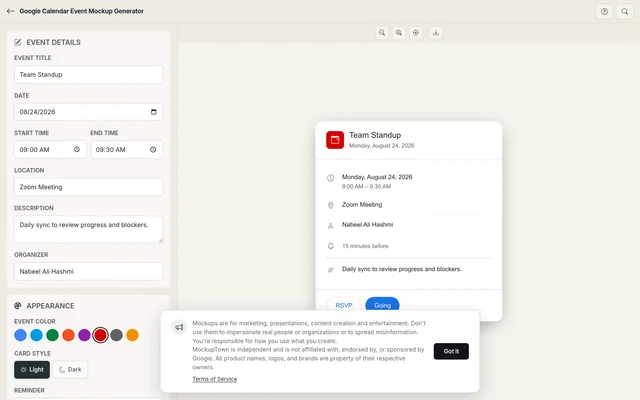
Event editor

Event editor

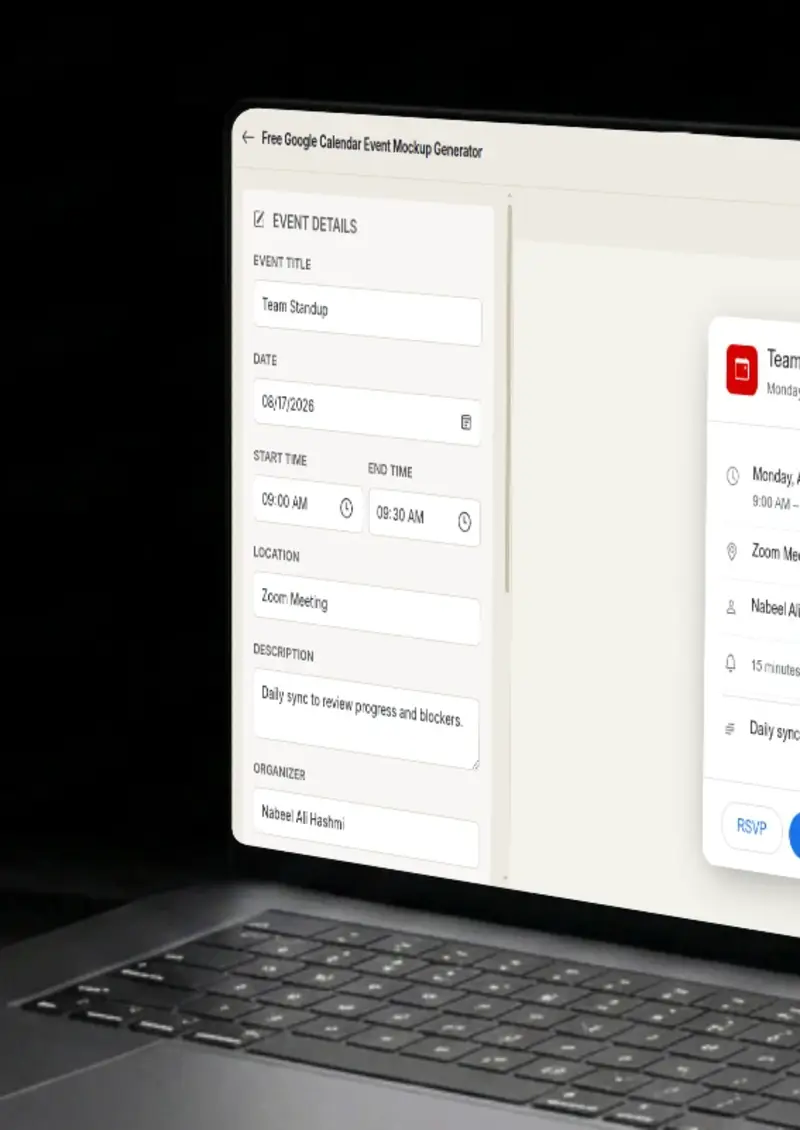
Set the title, date, start and end times, location, description and organizer name. The preview updates live.

Color picker

Color picker

Choose from Google Calendar's event color set, the same palette used in the real product.

Light and dark mode

Light and dark mode

Toggle between Google Calendar's light and dark rendering. Backgrounds, text and accents adjust accordingly.

PNG export

PNG export

Download the finished event card as a high-resolution PNG, no extra steps.

Use cases

Who uses Google Calendar Event Mockup?

Google Workspace admins write internal docs about shared calendar policies, meeting room bookings and team scheduling rules. A mockup of the exact event card your employees see removes guesswork from the instructions, they recognize the interface immediately.

  • Illustrate Workspace admin procedures
  • Show shared calendar configuration
  • Document meeting room booking steps

When you are announcing a new product or feature, the launch event itself is a visual asset. A Google Calendar mockup with the right date, time and description becomes a shareable announcement that fits naturally into the Google ecosystem your audience uses.

  • Create launch event announcements
  • Share scheduling across teams
  • Match the Google ecosystem aesthetic

Products that sync with Google Calendar, scheduling tools, CRMs, project managers, need to show the integration visually. A mockup of a Google Calendar event created by your product demonstrates the connection without pulling from a real account.

  • Show Google Calendar API integrations
  • Visualize sync and automation features
  • Protect real user data in demos

Growing teams formalize how people book 1:1s, all-hands and focus blocks. Writing these policies with a mockup of the actual Google Calendar event card makes the guide self-explanatory, the reader sees exactly what the event looks like after following the steps.

  • Document recurring meeting setup
  • Walk teams through scheduling norms
  • Clarify time block and focus time patterns

Founders and marketers drop calendar mockups onto landing pages and Product Hunt listings to signal "this event is happening." A Google Calendar-styled event card carries more recognition with tech audiences than a plain text date.

  • Add scheduling context to launch pages
  • Use a recognizable visual for event dates
  • Signal credibility with platform-accurate styling
Features

Everything you need

Google Calendar event card
Layout

Google Calendar event card

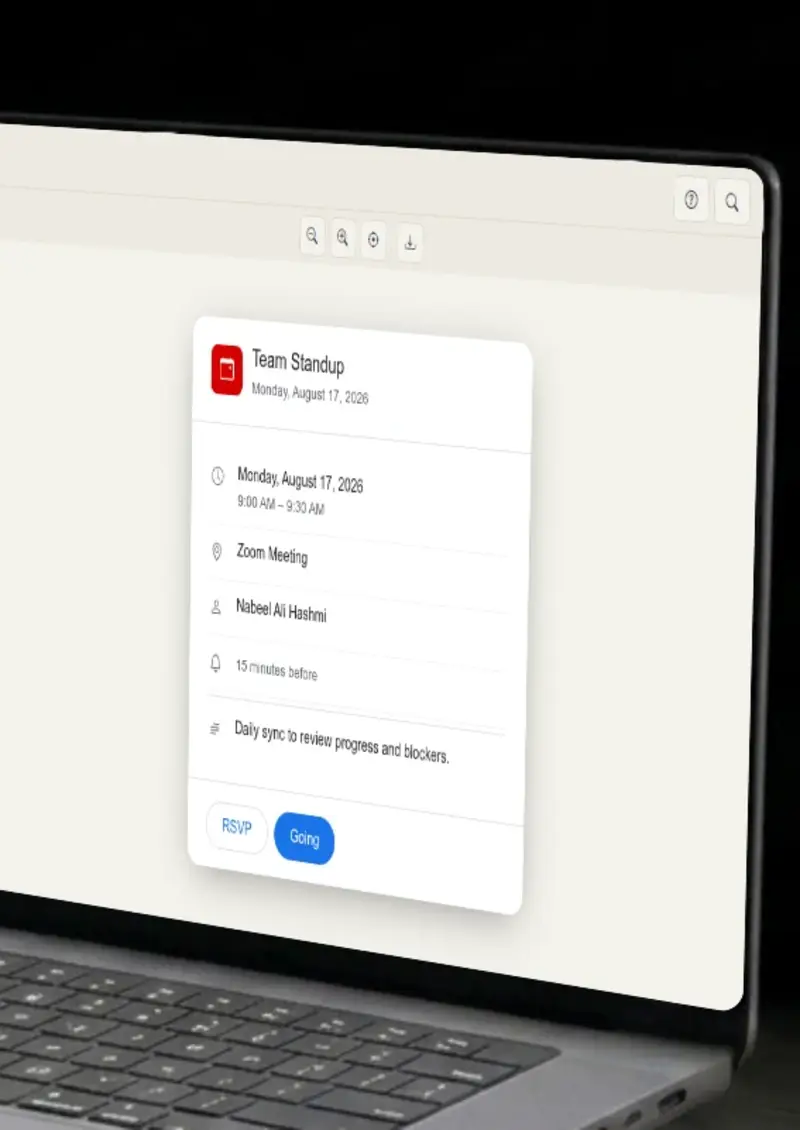
The mockup reproduces Google Calendar's event card layout, the rounded container, the color-coded sidebar, the font choices and the spacing. It looks like something exported directly from the app.

  • Matches Google Calendar's card structure
  • Accurate font, spacing and color behavior
  • Recognizable to Workspace users
Google Calendar color palette
Customization

Google Calendar color palette

Pick from the exact event colors Google Calendar uses, tomato, tangerine, banana, basil, sage and the rest. The mockup renders each color the way the real calendar does, including the sidebar accent.

  • Official Google Calendar event colors
  • Sidebar accent matches selection
  • Light and dark mode accuracy
Light and dark rendering
Themes

Light and dark rendering

Google Calendar handles dark mode with specific background tones and text contrast. The generator applies those same values so the mockup matches what your audience actually sees on their screen.

  • Google Calendar dark mode colors
  • Correct text contrast ratios
  • Matches real device rendering
Instant PNG download
Export

Instant PNG download

One click produces a high-resolution PNG of your event card. The image is sized for presentations, documents and web embedding without additional editing.

  • High-resolution output
  • No watermark on export
  • Ready for slides and docs
Nothing leaves your browser
Privacy

Nothing leaves your browser

The event card is drawn on an HTML canvas in your browser. No data is sent to any server, no cookies are set, and no account is required to use the tool.

  • Client-side canvas rendering
  • No server uploads or storage
  • No account or login needed
Help

How it works

1

Fill in the event title and timing

Enter the event title, set the date, and choose a start and end time. The preview updates as you type.

2

Add location and description

Type in the event location, write a description and add the organizer name to complete the event details.

3

Pick a Google Calendar color

Select from the Google Calendar event palette and toggle light or dark mode to match your target theme.

4

Export the mockup

Click export to download your event card as a high-resolution PNG file.

No. The tool runs entirely in your browser. It does not read from or write to any Google account.

Yes. The color picker uses the same event colors Google Calendar ships, tomato, tangerine, banana, basil, sage, blueberry and the rest.

You can type a video conferencing link in the location field. The mockup displays it in the same position Google Calendar uses for meeting details.

Yes. Several Workspace admins use these mockups to illustrate internal scheduling guides and shared calendar policies.

The export is high-resolution, sharp enough for full-screen presentation slides and print-quality documents.

No. Generate and download as many mockups as you need without hitting a cap.

Disclaimer

Intended usage

This tool is made for marketing, presentations, content creation and entertainment. Don't use it to impersonate real people or organizations, or to spread misinformation. You're responsible for how you use what you create - see our Terms of Service.

MockupTown is independent and is not affiliated with, endorsed by, or sponsored by Google. All product names, logos, and brands are property of their respective owners.

Free forever, or go Pro Visa

Pro Visa unlocks higher resolution exports and no promotional elements.

Ready to create your Google Calendar event mockup?

No signup, no credit card - start designing in seconds.

Open Google Calendar Event Mockup
Google Calendar Event Mockup