
Celebrating birthdays of my guardian and heir 🎉. All tools are WATERMARK FREE and with many PRO FEATURES available for the whole month of August!

MockupTown
Screenshots Use cases Features Help All Tools

Free Outlook Calendar Event Mockup Generator

Build event mockups styled like Microsoft Outlook, the calendar interface used in enterprise environments and Microsoft 365. Export PNGs with no signup.

Free Outlook Calendar Event Mockup Generator
Screenshots

See it in action

Event form

Event form

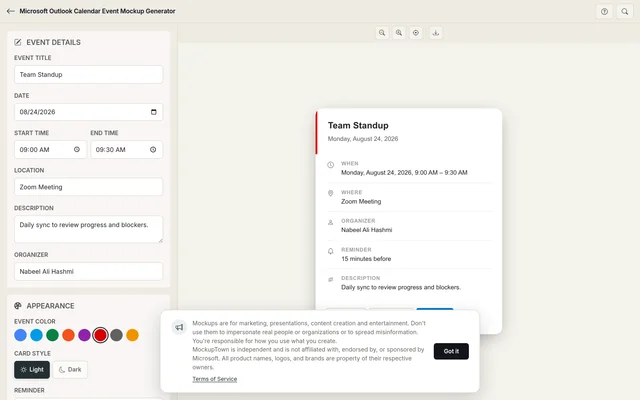
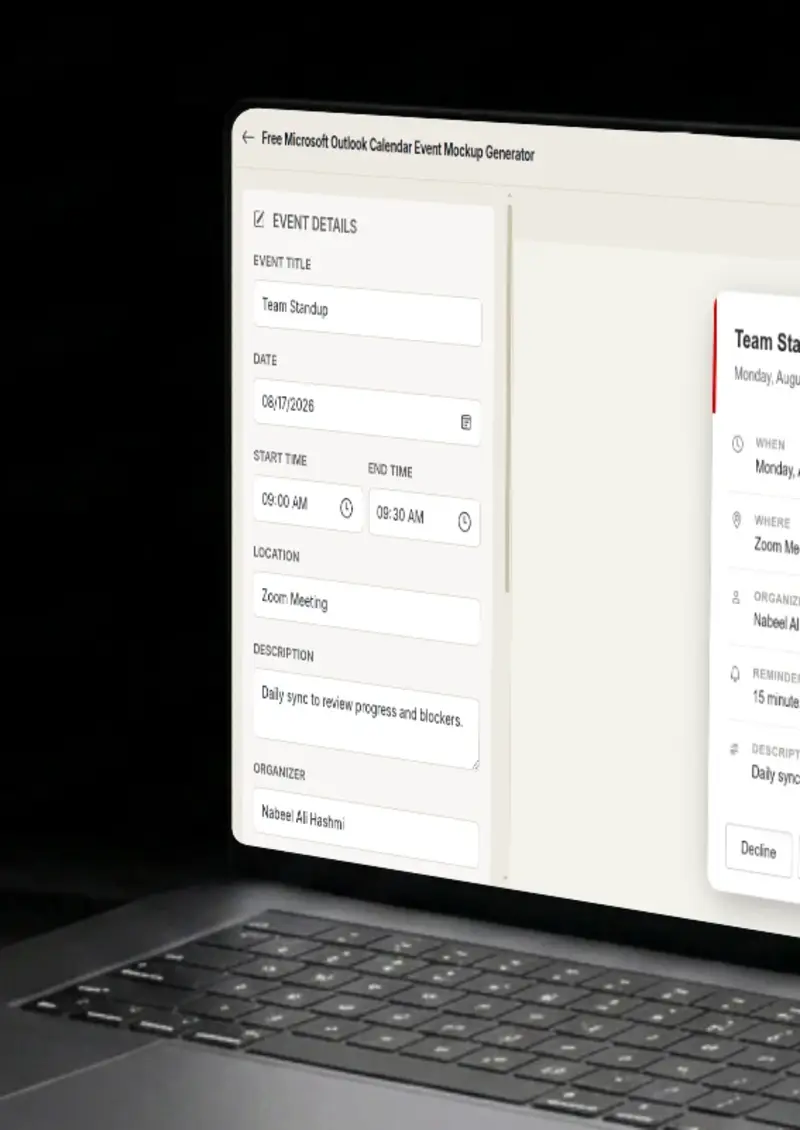
The editor mirrors Outlook's event creation form, title, date, time, location, recurrence, attendees and description fields in the familiar Office layout.

Category colors

Category colors

Choose from Outlook's category color set, the same tags used in Exchange and Microsoft 365 to organize meetings and appointments.

Light and dark themes

Light and dark themes

Toggle between Outlook's light and dark rendering. The mockup applies Microsoft's Fluent Design color tokens for each theme.

PNG export

PNG export

Download the event card as a high-resolution PNG, ready for enterprise documentation, deck slides and intranet content.

Use cases

Who uses Outlook Calendar Event Mockup?

IT teams write Exchange and Microsoft 365 scheduling guides for employees who live in Outlook. These docs cover room bookings, recurring meeting setup, conference call scheduling and shared mailbox calendars. A mockup of the actual Outlook event card makes every instruction concrete, the reader sees the exact form they will fill out.

  • Document Exchange calendar workflows
  • Illustrate Microsoft 365 meeting setup
  • Guide employees through room bookings

Outlook is where most Teams meetings get created. When documenting how to set up a Teams call from Outlook, adding the Teams meeting toggle, inviting attendees, configuring the lobby, a mockup of the Outlook event card with Teams details filled in walks the reader through the real workflow.

  • Show Teams meeting creation from Outlook
  • Illustrate conference call configuration
  • Document the Outlook-to-Teams handoff

Large organizations run on Outlook. Onboarding programs, process training and compliance documentation all reference the calendar at some point. An Outlook-styled mockup in a training slide signals that the content is about the tool employees actually use, not a generic calendar interface.

  • Build onboarding slides for Outlook users
  • Reference the corporate scheduling tool
  • Show meeting room and resource booking

Products that connect to Exchange or Microsoft 365 need to demonstrate the calendar integration visually. A mockup of an Outlook event card with your product's details shows enterprise buyers exactly what the integration looks like on their team's calendar.

  • Demonstrate Exchange and M365 integrations
  • Show Outlook calendar sync in action
  • Appeal to enterprise decision-makers

Corporate intranets host event announcements, scheduling policies and booking guides. Using an Outlook calendar mockup in this context, instead of a screenshot of someone's real calendar, keeps the content professional and avoids leaking internal meeting details.

  • Create intranet event announcements
  • Illustrate booking policies visually
  • Keep internal content free of real data
Features

Everything you need

Outlook event creation form
Layout

Outlook event creation form

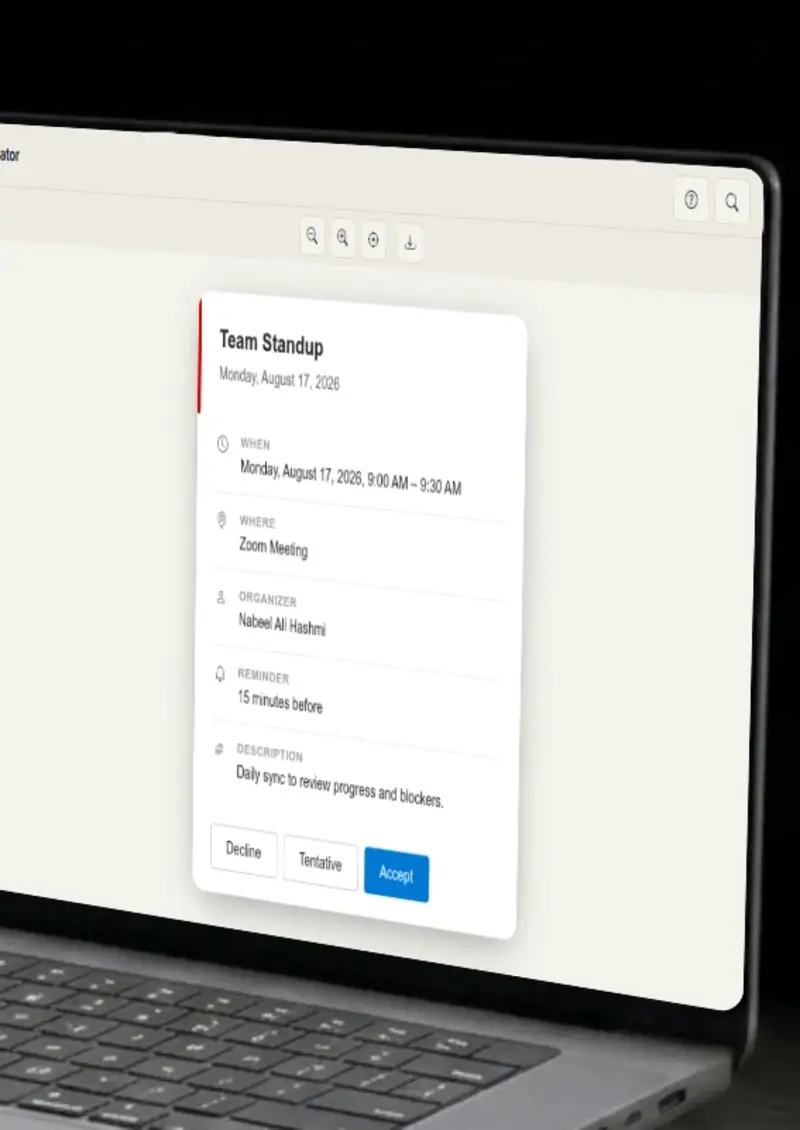
The mockup follows Microsoft Outlook's event creation interface, the ribbon-style header, the structured field layout, the attendee and resource rows, and the description area below. It matches the form Outlook users fill out every day.

  • Outlook event creation interface layout
  • Matches Office 365 and desktop Outlook
  • Familiar to enterprise users
Outlook category colors
Customization

Outlook category colors

Select from Outlook's category color set, the same tags used in Exchange and Microsoft 365 to classify meetings, appointments and tasks. The mockup applies the color as a category badge, matching how Outlook displays it.

  • Microsoft 365 category color tags
  • Applied as category badges
  • Same color set as desktop Outlook
Fluent Design light and dark themes
Themes

Fluent Design light and dark themes

Outlook uses Microsoft's Fluent Design system for theming. The generator applies Fluent Design color tokens for backgrounds, text and accents so the mockup matches the real Outlook appearance in both light and dark modes.

  • Fluent Design color tokens
  • Correct backgrounds for light and dark
  • Matches Outlook on desktop and web
High-resolution PNG
Export

High-resolution PNG

Export the Outlook event card as a sharp PNG suitable for enterprise presentations, training documents and intranet content. No watermark, no additional processing needed.

  • Enterprise-quality resolution
  • No watermark on export
  • Ready for training materials and decks
No Exchange or M365 connection
Privacy

No Exchange or M365 connection

The tool does not connect to Exchange, Microsoft 365 or any corporate calendar system. The mockup is drawn entirely in your browser with no server involvement.

  • No Exchange or M365 authentication
  • All rendering happens locally
  • Safe for confidential corporate data
Help

How it works

1

Set the event details

Enter the event title, choose a date, set start and end times, and add a location and description in the Outlook-style event form.

2

Add organizer and attendees

Type the organizer name and any attendee names to populate the People fields the way Outlook displays them.

3

Pick a category color and theme

Assign an Outlook category color to the event and toggle between light and dark Fluent Design themes.

4

Export the mockup

Click export to download the Outlook event card as a high-resolution PNG file.

No. The tool runs entirely in your browser. It does not authenticate against any Microsoft service.

The layout reflects Outlook's current design across both. The event form, category colors and Fluent Design theming apply to web and desktop.

You can type Teams meeting links or details in the location or description fields. The mockup does not render the Teams toggle, but the event content is fully customizable.

Yes. Type a room or resource name in the location field or description. The mockup displays it in the same position Outlook uses for room and resource information.

The color picker uses Outlook's category colors, the same set available in Exchange and Microsoft 365 for tagging calendar events.

Yes. There is no cost, no signup. Generate as many Outlook event mockups as you need.

Disclaimer

Intended usage

This tool is made for marketing, presentations, content creation and entertainment. Don't use it to impersonate real people or organizations, or to spread misinformation. You're responsible for how you use what you create - see our Terms of Service.

MockupTown is independent and is not affiliated with, endorsed by, or sponsored by Microsoft. All product names, logos, and brands are property of their respective owners.

Free forever, or go Pro Visa

Pro Visa unlocks higher resolution exports and no promotional elements.

Ready to create your Outlook calendar event mockup?

No signup, no credit card - start designing in seconds.

Open Outlook Calendar Event Mockup
Outlook Calendar Event Mockup