Celebrating birthdays of my guardian and heir 🎉. All tools are WATERMARK FREE and NO ADS for the whole month of August!

MockupTown
Screenshots Use cases Features Help

Free Google Play Screenshot Generator

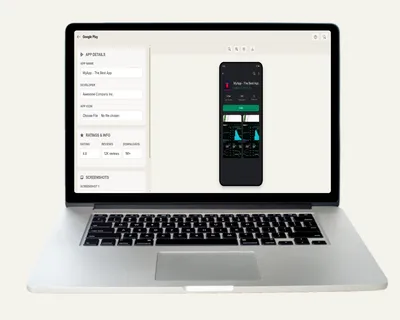
Create Google Play listing screenshots with custom text, devices and colors. Free - no signup, no watermark, instant export.

Free Google Play Screenshot Generator - Listing Previews
Screenshots

See it in action

App details

App details

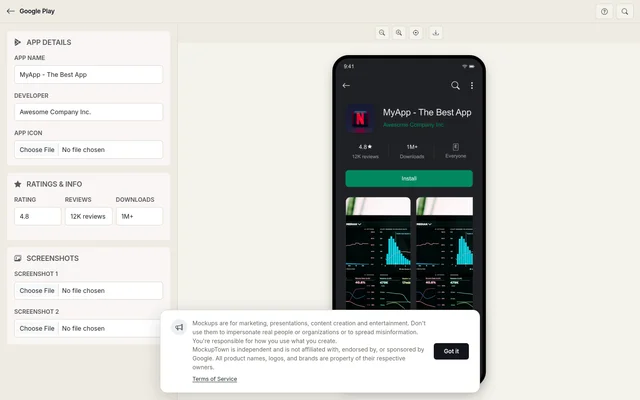
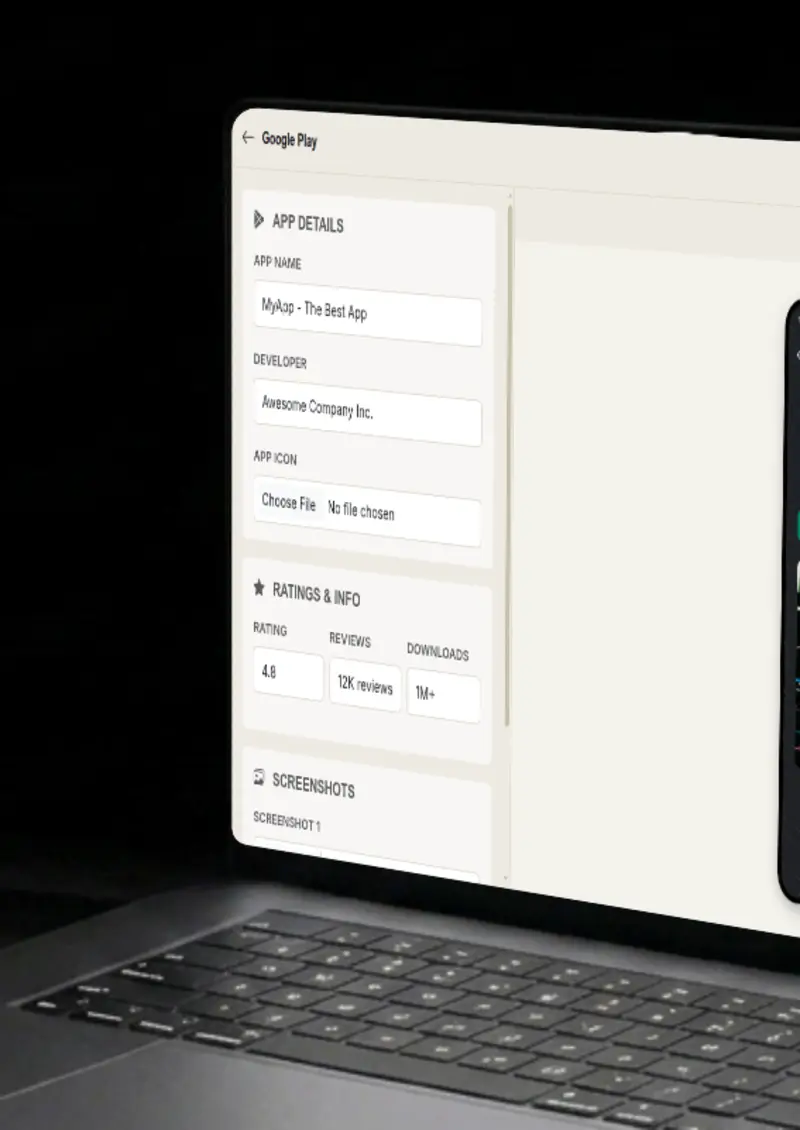
Set the app name, developer and download stats, plus the star rating and review count.

App icon

App icon

Upload a rounded app icon and it renders with Android-style sizing in the listing header.

Screenshots

Screenshots

Upload up to two screenshots shown in a horizontal scroll row with device-style frames.

Dark theme

Dark theme

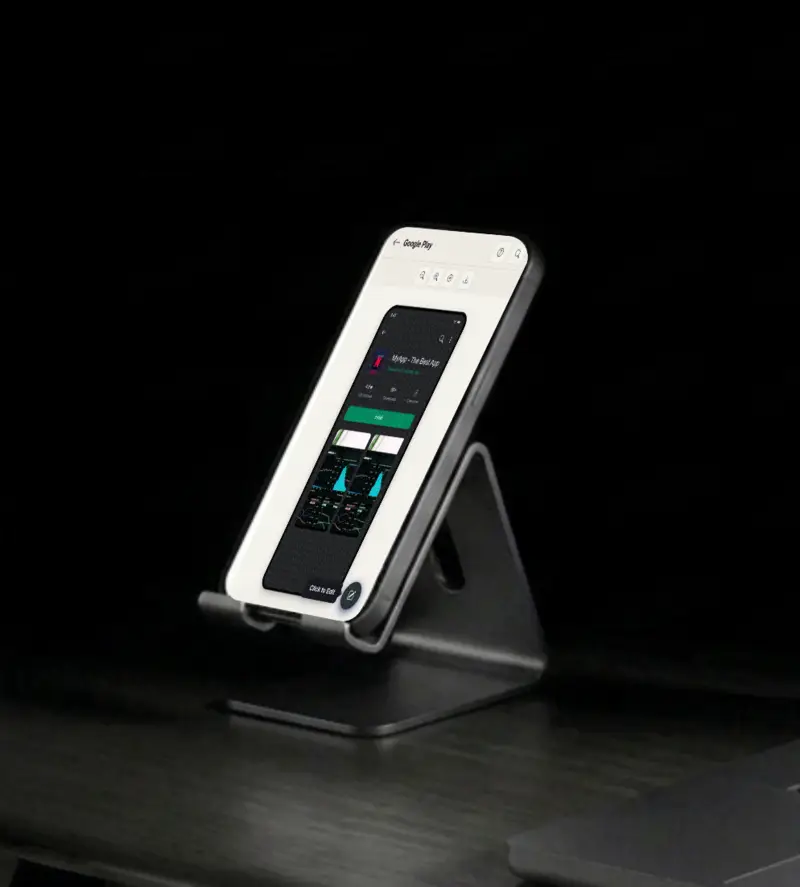
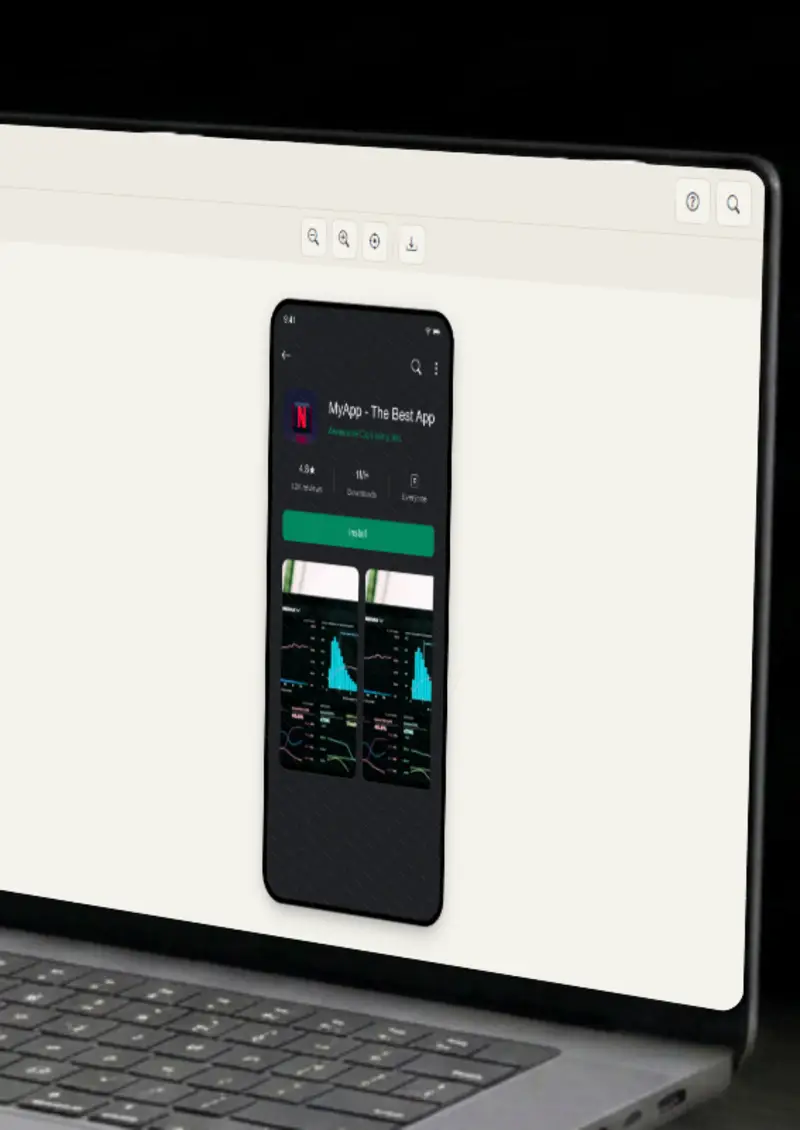
The listing renders in the realistic Android dark theme with the platform's green accents.

Use cases

Who uses Google Play Screenshot Generator?

App store listings are won and lost on the screenshots above the fold, and this tool builds a realistic one in seconds. Set the app name, developer, rating and downloads, then add your screens. It is the fastest way to preview how your listing will actually look before you upload anything.

  • Realistic listing previews
  • Test before you upload
  • Store-ready visuals

A slide full of text does not carry much weight, but a Google Play listing does. Drop a realistic store screenshot into a pitch deck to show your product, your positioning and your numbers in one image. Investors and clients read it the way users would, which makes it memorable.

  • Store-style pitch slides
  • Show ratings and downloads
  • Make decks more visual

User guides and app documentation often need to show where a feature lives in the store. Generate a listing mockup with the right app details and screenshots, then drop it into the guide. Readers see exactly what the app looks like from the outside before they ever open it.

  • User guide examples
  • App overview visuals
  • Support documentation

App launches deserve a visual that reads instantly, and a store-style screenshot is exactly that. Announce your launch with a listing mockup that shows the name, rating and screens, then share it across platforms. It looks official, which is the point of an announcement.

  • Launch announcement art
  • Official-looking visuals
  • Consistent with the store

The order and wording of a listing change conversion, and a mockup lets you test that before a release. Generate several variations with different names, ratings and screenshot choices, then compare them side by side. You get an honest read on which presentation converts.

  • Compare listing variations
  • Test names and ratings
  • Refine before shipping
Features

Everything you need

App details
Feature

App details

Set the app name, developer and download stats, plus the star rating and review count. Every piece of text on the listing is yours to control, so the mockup says exactly what you need it to say, from the headline name to the rating and download numbers. Tweak any field and the preview updates on the spot.

  • Custom app name
  • Developer display
  • Download count
App icon
Feature

App icon

Upload a rounded app icon and it renders with Android-style sizing in the listing header. The icon anchors the listing to your product, which is what makes the mockup feel like a realistic store screenshot instead of a generic graphic.

  • Any image format
  • Rounded corners
  • Android-style sizing
Screenshots
Feature

Screenshots

Upload up to two screenshots and they appear in a horizontal scroll row with device-style frames, just like a real listing. The preview shows how your screens actually look inside the store layout, so you can judge them in context rather than on a plain background. Swap the images at any time and the row re-renders instantly.

  • Horizontal scroll
  • Device-style frames
  • Any image format
Dark theme
Feature

Dark theme

The listing renders in the realistic Android dark theme with the platform's green accents. Matching the real store styling is what keeps the mockup from looking obviously generated, and it is the theme users see most on modern devices.

  • Dark background
  • Green accent
  • Platform-accurate colors
Everything stays on your device
Privacy

Everything stays on your device

The listing is rendered locally in your browser. Your app icon and screenshots never leave your device, and nothing is stored on any server. You can build a listing mockup for an app that is not ready to be announced yet.

  • Local rendering, no uploads
  • Nothing stored on servers
  • Safe for unreleased apps
Help

How it works

1

Set app details

Enter the app name, developer, rating, review count and downloads.

2

Upload app icon

Upload a rounded app icon for the listing header.

3

Upload screenshots

Upload up to two screenshots for the scroll row.

4

Export your mockup

Download as a high-resolution PNG.

Yes, completely free. No watermarks, and all processing happens locally in your browser, so nothing is uploaded anywhere.

Absolutely. You own the mockups you create. Use them in marketing campaigns, presentations, videos, or any commercial project.

No. You can start creating Google Play mockups immediately, no signup, no email, no credit card required.

For best results, use square images for app icons and tall images for screenshots.

Yes. Set the star rating, review count and download stats to match the story your listing is telling.

You can export your mockups as high-resolution PNG images, clean and ready for any design or document.

Disclaimer

Intended usage

This tool is made for marketing, presentations, content creation and entertainment. Don't use it to impersonate real people or organizations, or to spread misinformation. You're responsible for how you use what you create - see our Terms of Service.

MockupTown is independent and is not affiliated with, endorsed by, or sponsored by Google. All product names, logos, and brands are property of their respective owners.

Free forever, or go Pro Visa

Pro Visa unlocks unlimited messages, higher resolution, no promotional elements and access to Pro-only tools.

Ready to create your Google Play mockup?

No signup, no credit card - start designing in seconds.

Open Google Play Screenshot Generator
Google Play Screenshot Generator