

The screenshots you make with MockupTown can be sensitive: conversations, designs you haven't shipped, documents you're working on. So the most important feature here isn't an effect or an export format - it's that your work never leaves your browser. Here's why that matters and how it works.
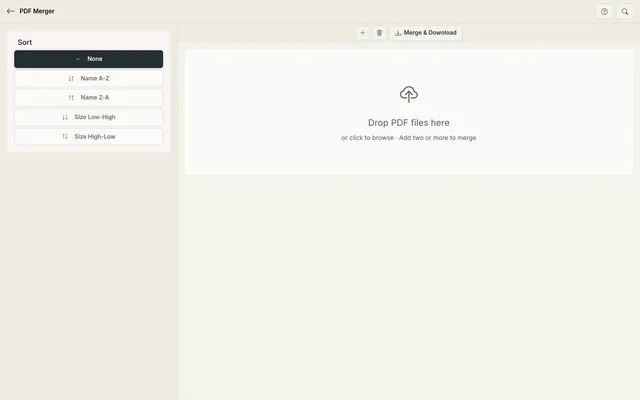 Every tool works like this: files are processed on your device and never uploaded.
Why it matters
Most online tools upload whatever you feed them to a server. That means your data:
- Sits on someone else's computer, with someone else's security
- Could be seen by the tool's team, contractors, or ad partners
- Might be used to train models or build profiles about you
- Gets breached when (not if) that server is compromised
For a mockup tool, the risk feels small - until a draft of a client project, a private conversation, or an unreleased design ends up somewhere you didn't intend.
Everything runs in your browser
MockupTown tools are built to run entirely on your device. The pages are just HTML, CSS, and JavaScript. When you type a message or upload an image:
- The code renders the mockup locally
- No file is transmitted for processing
- Nothing is stored in a database
- The result lives only in your browser until you export it
The server you're reading this from serves the tool, not your content.
No accounts, no uploads
Because there's nothing to store, there's no reason to make you sign up:
- No user accounts and no user database
- No advertising profiles built from your mockups
- No cookies beyond what's needed for basic site functionality
A free tool that doesn't ask for your email isn't being generous by accident - it's because there's nothing to attach that email to.
What happens when you export
Exporting is the only moment your content "moves" anywhere, and even then it goes to you:
- PNG, SVG, or MP4 files render in your browser and download straight to your device
- Nothing is uploaded to our servers for delivery
- You decide where the file goes from your downloads folder
If you choose to share an export (e.g., on a website or via WhatsApp), that's your choice - the transfer is yours, not ours.
Your Pro Visa key stays local too
Pro Visa keys are verified in your browser and stored in its local storage. We don't run a login system, so there's no credential database to leak. Your key is yours, on your device, and you can remove it at any time.
Why this is safer
No server-side storage means the classic failure modes don't apply:
- A breach can't expose your mockups - there are no mockups to take
- A subpoena or data request can't retrieve what we never had
- A team member can't peek at your drafts - nobody can
That's not a guarantee we offer; it's a design constraint. We physically can't access your work, because it never exists anywhere but on your device.
What you should still do
- Use the tools on devices and browsers you trust
- Don't paste truly sensitive info (passwords, card numbers) into any mockup you'll share
- Be aware that any screenshot you export is a file on your device like any other - guard your downloads
Mockups are for presenting ideas, not for storing secrets. Keep that in mind and the privacy built into these tools does the rest.
The bottom line
What MockupTown offers is simple: free tools that do their job without collecting yours. If a design tool needs your files to work, it's making a trade you don't have to make here. Privacy isn't a premium feature - it's the default, because there's no server holding your stuff to begin with.
Made with MockupTown, the free all-in-one mockup generator.
Frequently asked questions
Do my documents touch a server at any point?
Never - merging happens page by page inside your own browser via pdf-lib, so document bytes stay resident on your machine.
How large can the merged document be?
Because processing is local, the ceiling is whatever memory your browser can spare, which is usually several hundred megabytes.
Is there a way to rearrange individual pages?
The merger appends whole files in sequence today. To interleave single pages, split them first and upload PDF individually and arrange the files in your desired order.
Which inputs does the merger accept?
Inputs must be valid PDFs - images and Office formats need converting first.