Celebrating birthdays of my guardian and heir 🎉. All tools are WATERMARK FREE and NO ADS for the whole month of August!

MockupTown
Screenshots Use cases Features Help

Free WhatsApp Chat List Mockup Generator

Generate a realistic WhatsApp chat list mockup with contacts, unread badges and timestamps. Free - no signup, no watermark, instant PNG.

Free WhatsApp Chat List Mockup Generator
Screenshots

See it in action

Header & search

Header & search

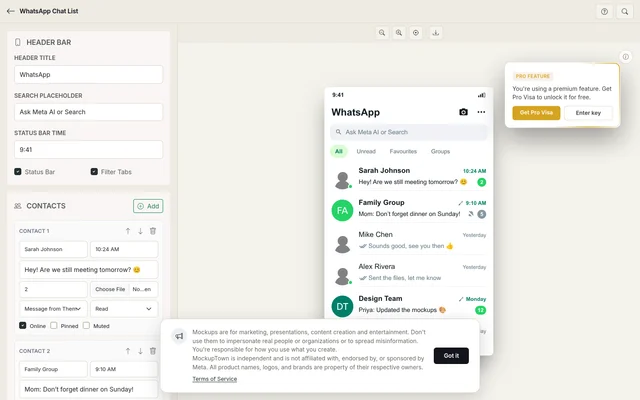
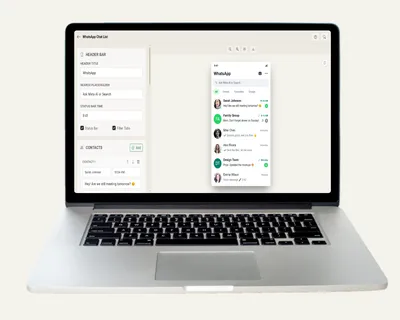
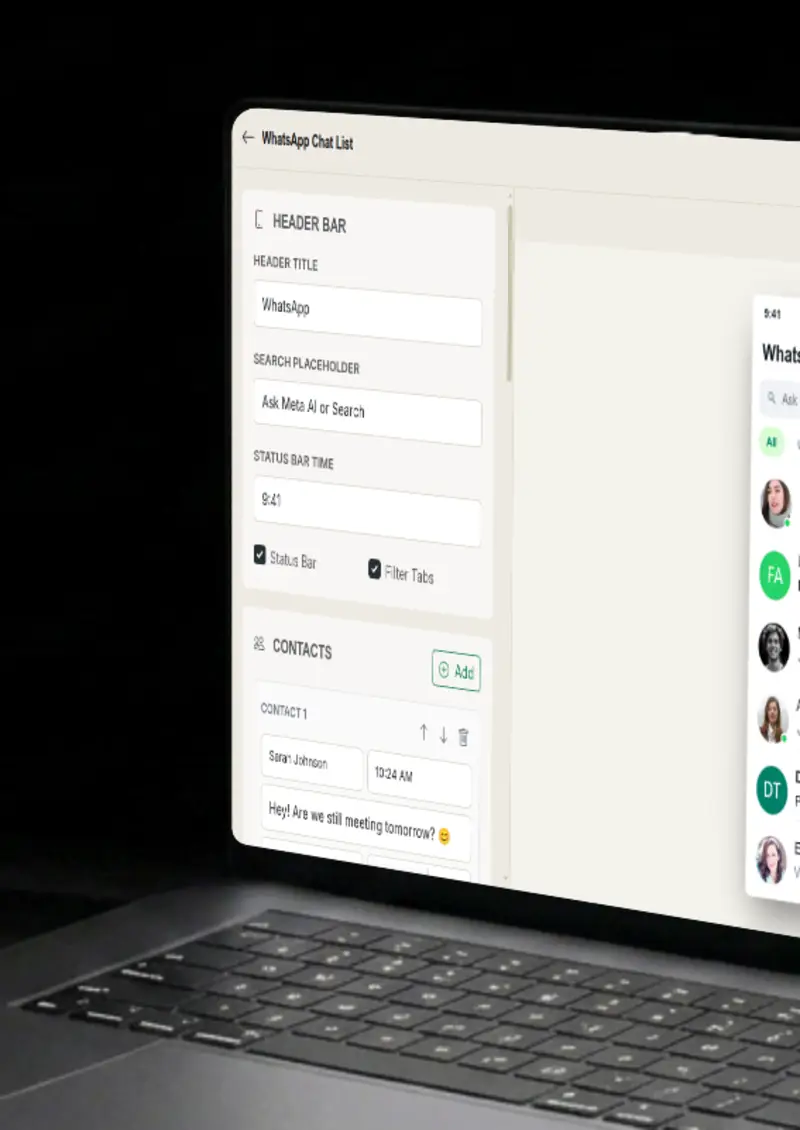
Set the header title and the search placeholder, plus the time in the status bar, so the frame reads like a realistic screen.

Contacts & messages

Contacts & messages

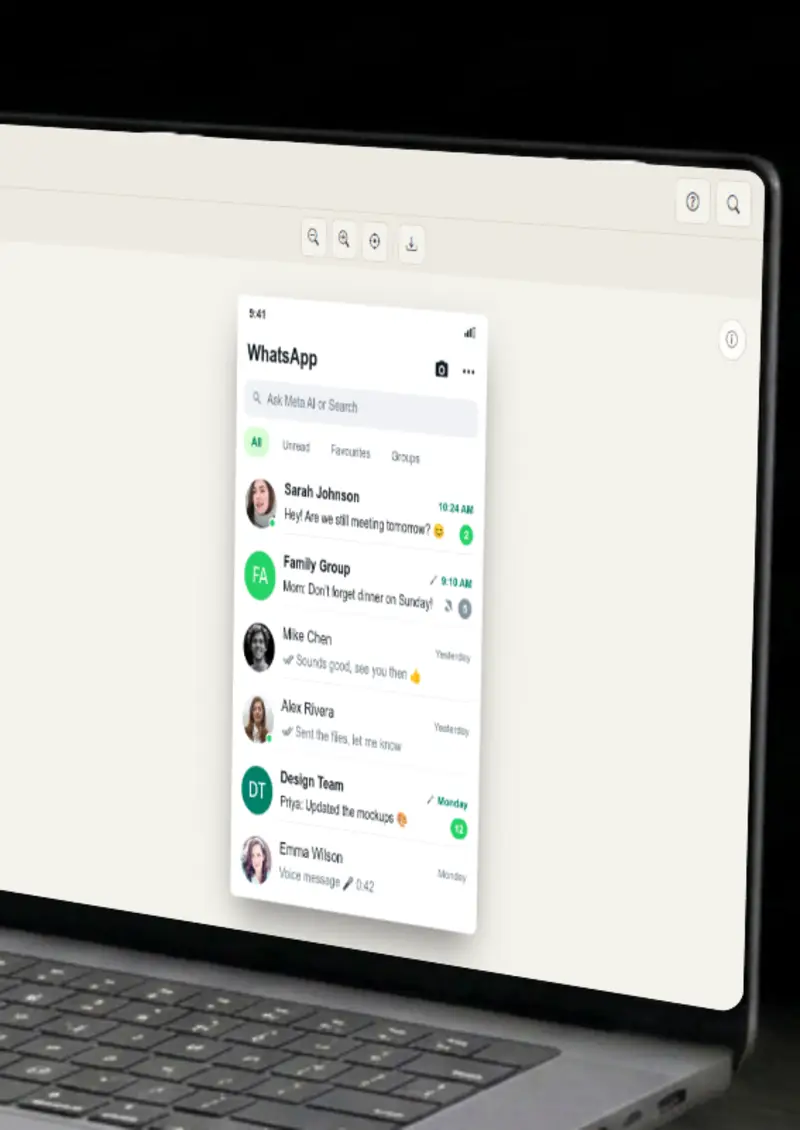
Add contacts with names, last messages, profile photos and timestamps. Each chat row matches the real app.

States & badges

States & badges

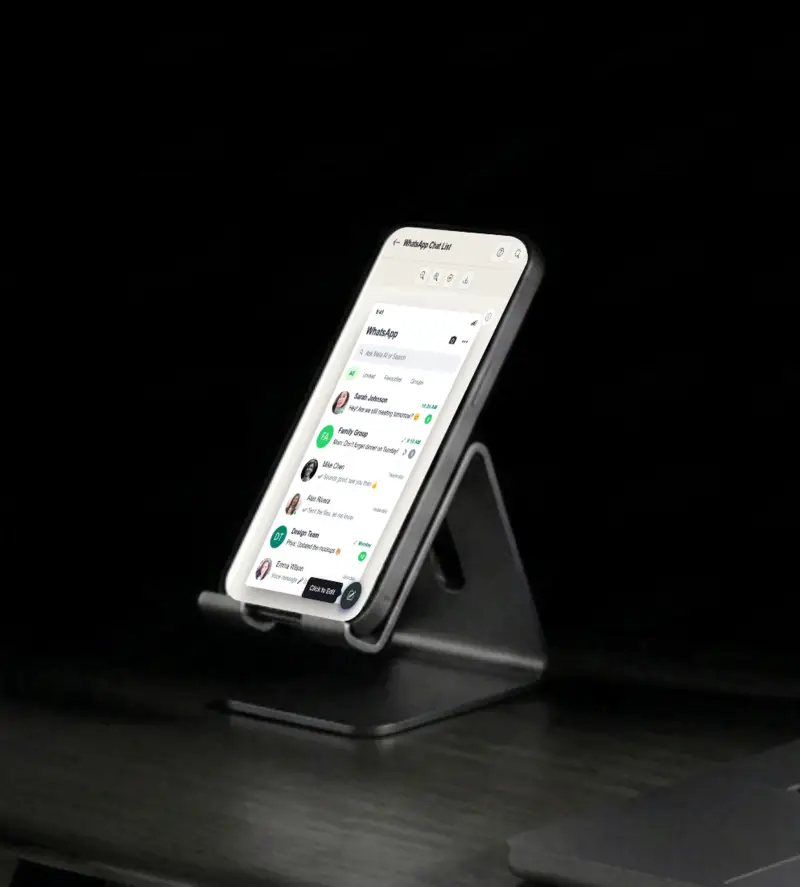
Mark chats as pinned, muted or online, add unread counts and read receipt ticks, and the list comes to life.

Filter tabs & theme

Filter tabs & theme

Use the All, Unread and Groups filter tabs, and render the list in the classic light or the realistic dark theme.

Use cases

Who uses WhatsApp Chat List Mockup Generator?

A chat list mockup shows off a messaging app, a contact feature, or a notification flow better than a generic screenshot. Show the list filled with realistic contacts and badges in a pitch deck or a spec doc. Stakeholders understand the product instantly.

  • Show messaging features
  • Illustrate notification flows
  • Pitch deck visuals

A chat list screenshot is a fast way to show a messaging product in everyday use. Mock a conversation list and use it in an ad or a landing page. It frames your product in a familiar, realistic style.

  • Everyday chat list visuals
  • Product-in-use visuals
  • Ad and landing page creatives

YouTubers and bloggers are always short on visuals, and this tool produces a finished one in under a minute. Use a chat list frame for a thumbnail, an illustration in a blog post, or a reference in a messaging-app breakdown. The design is instantly recognizable.

  • YouTube thumbnail frames
  • Blog post illustrations
  • Messaging app reviews

A chat list is a natural canvas for a joke, with a funny group name, a passive-aggressive last message, or a suspicious unread count. Build the list, export it, and post it. It carries the familiar interface style, so the joke lands before the punchline.

  • Viral-ready chat list memes
  • Fun social media posts
  • On-format humor

Contact names, last messages and badges all change how a list feels. Generate several variations with different states and copy, then line them up. You get a fast, honest read on which layout reads best before you invest in a full design.

  • Compare list layouts
  • Test message copy
  • Refine before shipping
Features

Everything you need

Header & search bar
Feature

Header & search bar

Set the header title, the search placeholder and the time in the status bar. These small details at the top of the frame are what make the frame feel like a realistic device screen. Adjust them to match the exact moment you want to present, morning, noon or late at night.

  • Custom header title
  • Search placeholder text
  • Status bar time
Contacts & last messages
Feature

Contacts & last messages

Add as many contacts as you need with names, last messages, profile photos and timestamps. Each row matches the real app, from the avatar circle to the two-line preview. You decide every detail of every conversation, so the list tells exactly the story you want.

  • Unlimited contact rows
  • Custom last message text
  • Profile photos & timestamps
States & badges
Feature

States & badges

Mark chats as pinned, muted or online, add unread counts and read receipt ticks. These states are the difference between a plain list and one that looks alive. A muted group with a double-check, a pinned chat with a badge, small touches that make the screen feel complete.

  • Pinned and muted states
  • Unread count badges
  • Read receipt ticks
Filter tabs
Feature

Filter tabs

The list carries the real All, Unread and Groups filter tabs at the top. They are not clickable, but they sit exactly where they should, so the frame looks like a finished screenshot.

  • All, Unread and Groups tabs
  • Realistic placement
  • Matches the real layout
Everything stays on your device
Privacy

Everything stays on your device

The chat list is rendered locally in your browser. Your profile photos never leave your device, and nothing is stored on any server. You can build a mockup for a project that is not ready to be public yet.

  • Local rendering, no uploads
  • Nothing stored on servers
  • Safe for unreleased projects
Help

How it works

1

Set header details

Set the header title, the search placeholder and the time shown in the status bar.

2

Add contacts

Add contacts with names, last messages, profile photos and timestamps.

3

Apply states

Add pinned, muted or online states, unread counts and read receipt ticks, then choose a theme.

4

Export your mockup

Download your chat list mockup as a high-resolution PNG.

Yes, completely free. No watermarks, and all processing happens locally in your browser, so nothing is uploaded anywhere.

Absolutely. You own the mockups you create. Use them in marketing campaigns, presentations, videos, or any commercial project.

No. You can start creating chat list mockups immediately, no signup, no email, no credit card required.

As many as you need. Add unlimited contacts, each with its own name, last message, profile photo, timestamp and state.

Yes. Render the list in the classic light theme or the realistic dark theme, whichever fits your design.

You can export your mockups as high-resolution PNG images, clean and ready for any design or document.

Disclaimer

Intended usage

This tool is made for marketing, presentations, content creation and entertainment. Don't use it to impersonate real people or organizations, or to spread misinformation. You're responsible for how you use what you create - see our Terms of Service.

MockupTown is independent and is not affiliated with, endorsed by, or sponsored by Meta. All product names, logos, and brands are property of their respective owners.

Free forever, or go Pro Visa

Pro Visa unlocks unlimited messages, higher resolution, no promotional elements and access to Pro-only tools.

Ready to create your WhatsApp chat list mockup?

No signup, no credit card - start designing in seconds.

Open WhatsApp Chat List Mockup Generator
WhatsApp Chat List Mockup Generator