Celebrating birthdays of my guardian and heir 🎉. All tools are WATERMARK FREE and with many PRO FEATURES available for the whole month of August!

MockupTown
Screenshots Use cases Features Help All Tools

Free App Store Review Mockup Generator

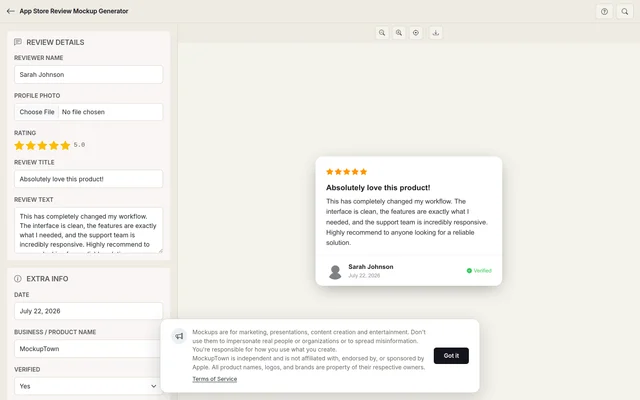
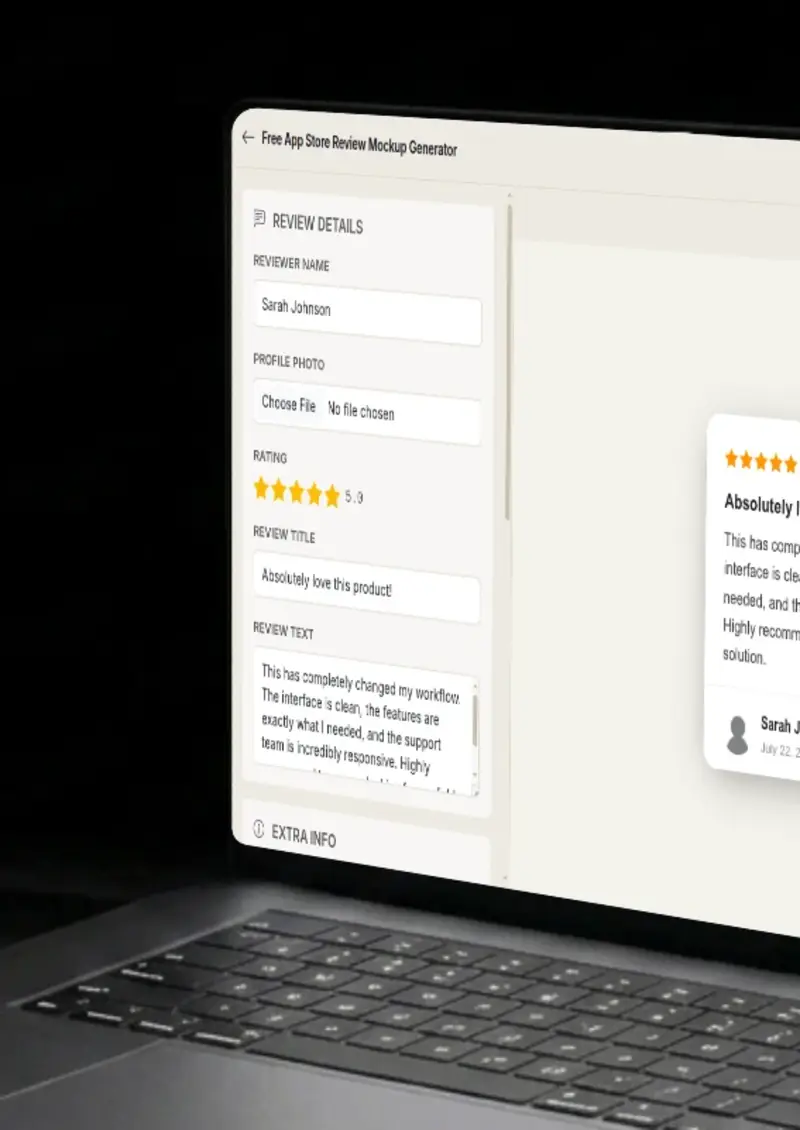
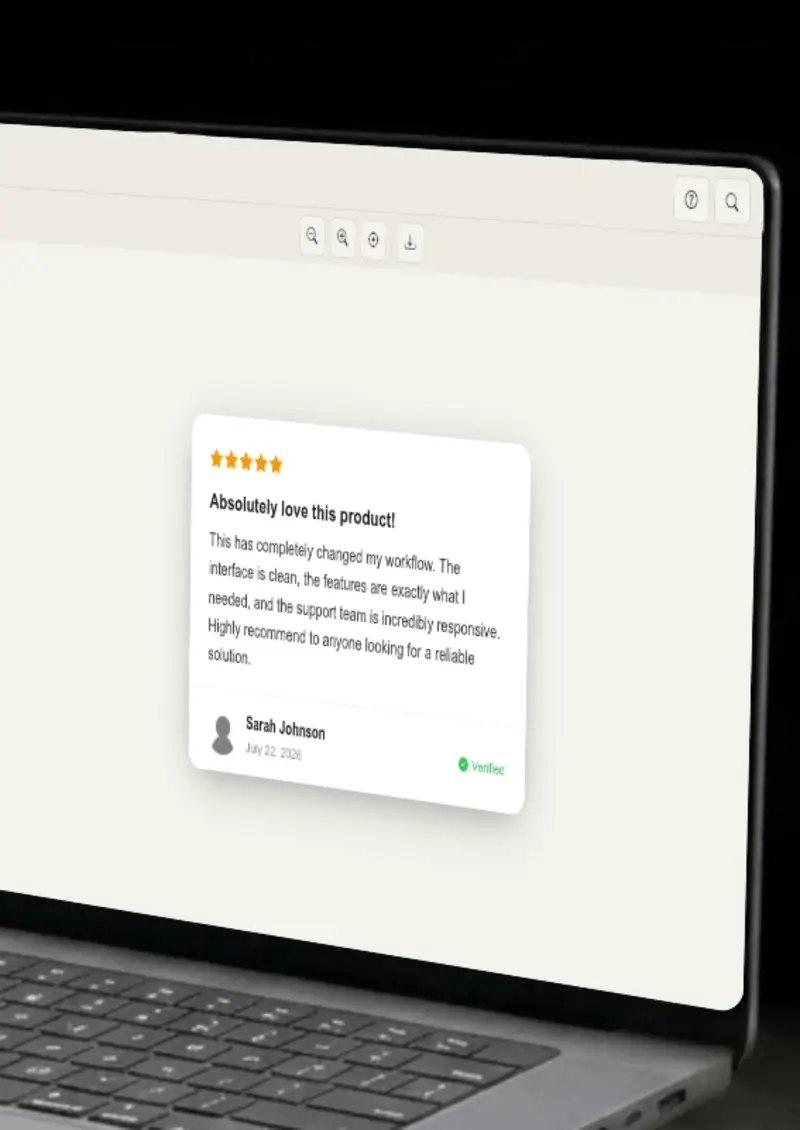
Build an iOS-styled App Store review card with the San Francisco font, version number, developer name and star rating. Matches the layout users see in the App Store on iPhone and iPad. Export a clean PNG.

Free App Store Review Mockup Generator
Screenshots

See it in action

Reviewer name

Reviewer name

Set the display name Apple shows next to each review. App Store reviews use a single line with the reviewer name on the left and the date on the right.

App and developer

App and developer

Enter the app name, developer name and version number. These appear above the review body and tie the review to a specific release.

Review body

Review body

Write the review text and set the star rating. App Store reviews have a 5,000-character limit, and the preview respects that constraint.

Export

Export

Download the finished card as a high-resolution PNG for pitch decks, blog posts or App Store optimization reports.

Use cases

Who uses App Store Review Mockup?

ASO consultants present review trend analysis to app developers. A mockup showing a specific version's review, complete with version number and star rating, makes the report data visual. Clients can see exactly what users wrote about a particular release.

  • Show version-specific review examples
  • Pair ratings with ASO metrics
  • Make trend reports visual

Mobile startups need to demonstrate user traction. A mockup of a five-star App Store review with a real-sounding user quote shows product-market fit in a way a metric chart alone cannot. Investors process the human voice faster than a retention curve.

  • Show user love in fundraising materials
  • Pair review mockups with growth charts
  • Add human proof to metric-heavy decks

When your team ships a major update, a blog post or changelog benefits from showing what early users are saying. A mockup of a review tied to the new version number serves as early user feedback while organic reviews accumulate.

  • Pair version reviews with changelog posts
  • Showcase user feedback on new features
  • Use in email announcements and social posts

Tech bloggers comparing similar apps need review visuals for each contender. Instead of screenshotting real accounts (which raises privacy issues), a mockup gives you full control over the rating, review text and version info for each app in the comparison.

  • Control review content per app in comparisons
  • Avoid privacy issues with real screenshots
  • Keep visual style consistent across apps

Independent developers and agencies showcase their work in portfolios. A mockup of a well-reviewed app, with the developer name visible, proves the app was received positively without exposing real user identities.

  • Showcase app reception in portfolios
  • Display developer attribution
  • Protect real user privacy
Features

Everything you need

iOS-native App Store review styling
Layout

iOS-native App Store review styling

The mockup uses Apple's San Francisco font, the correct star color and sizing, and the exact layout structure Apple uses for App Store reviews. The reviewer name sits on the left with the date on the right, the star rating sits below and the review body follows in the platform's body type.

  • San Francisco font rendering
  • Correct star color and sizing
  • Left-right reviewer and date layout
Version number and developer name
Version

Version number and developer name

App Store reviews are tied to specific app versions. The mockup includes a version number field and the developer name, both displayed above the review body just as Apple shows them. This detail matters when you are presenting version-specific feedback.

  • Editable version number field
  • Developer name display
  • Version tied to the review context
Star rating with "Most Helpful" sorting
Rating

Star rating with "Most Helpful" sorting

The mockup supports the 1-to-5 star rating using App Store styling, and includes an optional "Most Helpful" label that Apple applies to top-voted reviews. This small addition changes the perceived authority of the review card.

  • App Store star color and size
  • "Most Helpful" sorting indicator
  • 1-to-5 rating range
iOS Light and Dark mode
Themes

iOS Light and Dark mode

Apple's Light and Dark modes each have distinct background and text colors. The mockup renders in both, matching the actual appearance on an iPhone or iPad so the card looks native in either context.

  • Light mode matching iOS Settings
  • Dark mode matching iOS Dark appearance
  • Correct text contrast for each mode
High-resolution PNG
Export

High-resolution PNG

The exported PNG is sharp enough for a full-width website section or a printed slide. No compression artifacts , just the review card on a clean background.

  • Resolution for screen and print
  • Clean export with no overlays
  • Transparent background option
Help

How it works

1

Enter the app details

Set the app name, developer name and version number. These appear above the review body, matching Apple's layout.

2

Set the reviewer

Enter the reviewer's display name. Apple shows this on the left with the date on the right.

3

Write the review

Pick a star rating from 1 to 5 and write the review body. Optionally enable the "Most Helpful" label.

4

Export

Choose light or dark mode, then click the download button to save the mockup as a high-resolution PNG.

No. All text is entered manually in the editor and rendered locally in your browser. No App Store data is fetched or stored.

Yes. The version number field lets you specify which release the review is associated with, matching how Apple ties reviews to app versions.

It is an optional toggle that adds the "Most Helpful" indicator Apple applies to top-voted reviews. It changes how authoritative the mockup reads.

Yes. The mockup renders text in Apple's San Francisco font, matching the typography the App Store uses on iOS and iPadOS.

Yes. Toggle between iOS Light and iOS Dark to match the device theme your audience uses, then export.

Yes. The App Store Review Mockup Generator is free and no account required.

Disclaimer

Intended usage

This tool is made for marketing, presentations, content creation and entertainment. Don't use it to impersonate real people or organizations, or to spread misinformation. You're responsible for how you use what you create - see our Terms of Service.

MockupTown is independent and is not affiliated with, endorsed by, or sponsored by Apple. All product names, logos, and brands are property of their respective owners.

Free forever, or go Pro Visa

Pro Visa unlocks higher resolution exports and no promotional elements.

Create your App Store review mockup

No signup, no credit card - build a native iOS review card in under a minute.

Open App Store Review Mockup
App Store Review Mockup