
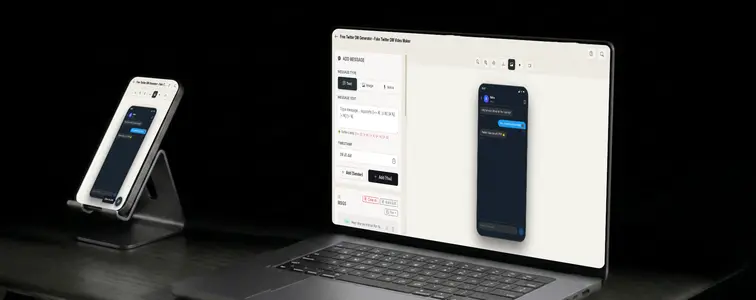
The Twitter DM is where deals, questions, and not-so-subtle pitches all end up. It is the private inbox behind the most public social network, and it has become a fixture of marketing mockups: brands showing inbound interest, creators showing brand deals, small businesses showing customer questions arriving in their mentions' quieter cousin.
The format is recognizable because of the specific layout: the profile photo in the header, the message bubbles, the lighter treatment that separates DMs from the rest of the app. The Twitter DM Mockup Generator in MockupTown reproduces that interface and animates the exchange, so the mockup looks like a realistic conversation pulled out of an inbox.
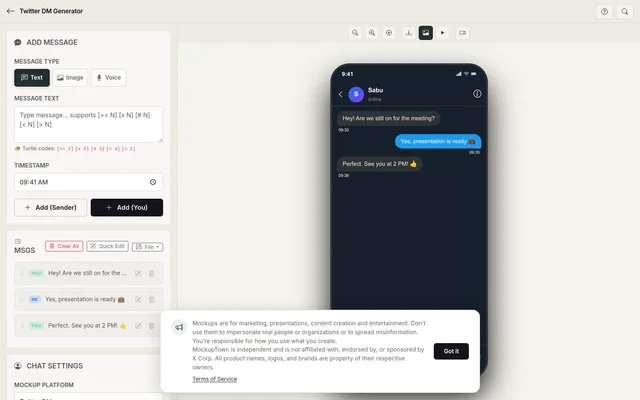 Twitter DM Generator.
The inbound-inbox selling point
A DM screenshot is different from most chat mockups because of what it implies. A message in a DM thread has arrived from outside: someone reached out. That is the whole appeal: the image itself is evidence of inbound interest. Landing pages and ads use it exactly that way: the conversation is not just shown, it reads as a sign that people are reaching out.
The layout that makes it read as Twitter
- The header. The profile photo, the name, and the handle sit at the top, and they set the tone of the whole exchange.
- The bubbles. The message rows use the DM treatment, lighter and cleaner than the main feed, which separates the inbox visually.
- The pacing. DMs move at the pace of the platform: fast, brief, and informal.
Writing a DM that sounds like Twitter
- Keep it fast and brief. DMs on the platform are quick. Short messages, quick replies, minimal formality.
- Sound like a real follower, not a fan letter. The incoming side should ask or comment the way actual people do, with specific questions and casual language.
- Use the typing pause before the good news. The pause before a positive reply builds anticipation, and the typing bubble carries it.
- Match the handle to the story. The name and photo at the top should fit the exchange, or the mockup falls apart.
- Keep attachments purposeful. A link or image inside the DM works when the conversation refers to it.
Where Twitter DM mockups earn their place
- Marketing campaigns. The classic use: showing inbound messages on landing pages and in ads as a way to show people reaching out about your product.
- Presentations. Creator economy and social media decks use DM mockups to show the engagement their clients generate.
- Content creation. Skits and content about the platform, from pitches to cancellations, land better with a realistic thread.
- Product launches. Simulating the kind of DMs a launch will generate, as a teaser before the real ones arrive.
- Educational content. Guides on social selling and handling inbound messages are clearer with a concrete example.
Drafting the exchange
The process is straightforward: select the Twitter DM option from the platform picker, set the contact name, handle, and profile photo, build the exchange with the sender toggle, set the typing speed and message timing, and export a high-resolution PNG. The whole thing happens in your browser.
A quick word on ethics: for this format is the same as the Instagram DM one, and it matters just as much: these are for demonstrating your own business and for clearly-marked content. Fabricating a DM from a real person, especially a named public figure, is deception, not marketing, and it is trivial to expose.
The next time a Twitter DM screenshot settles an argument or sells an idea, you can build the exact conversation instead of cropping a real one. Open the Twitter DM Mockup Generator, choose the DM style, draft the DMs with reply chains intact, and export an animated mockup as a PNG.
Made with MockupTown, the free all-in-one mockup generator.
Frequently asked questions
Does Twitter DM Generator cost anything?
Yes. No credit card, no trial countdown. The Pro banner is skippable with no functional loss.
Are exports cleared for commercial work?
Yes, and no paid tier gates it. Campaigns, decks, landing pages, merch: no licensing strings attached.
Is signing up required?
No. Open it and the canvas is already waiting - nothing to configure first.
What platforms are supported?
What platforms are supported?